 HRM Build
Build out
The plugin does the first pass at every size. You make the calls that need a designer's eye.
Build every size
- Open Build out. The button reads Build N banners.
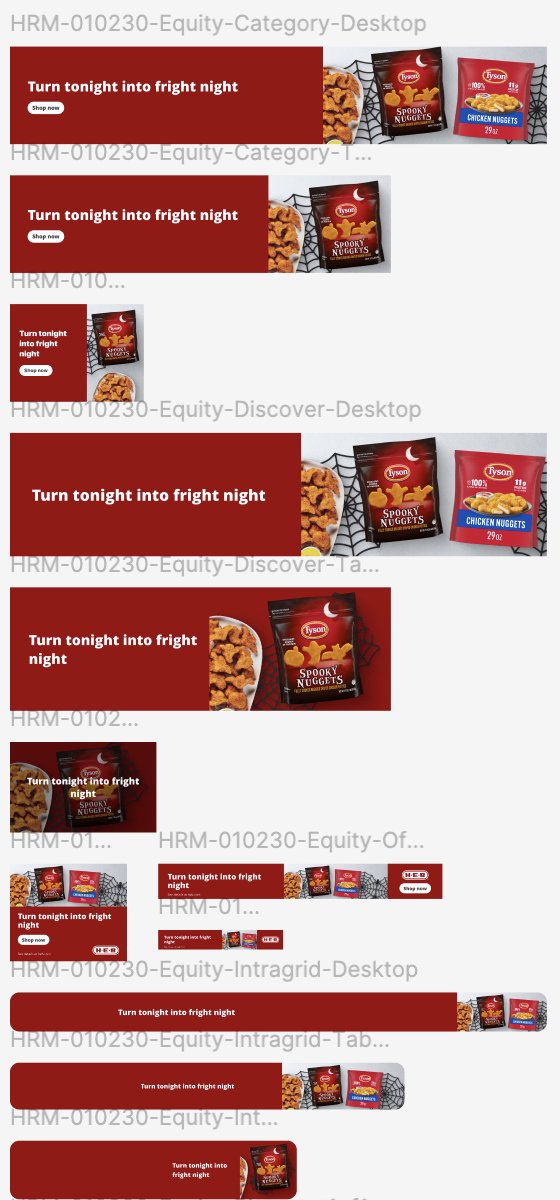
- Click it. Every size the brief asks for lands under Proof 1.
- Fix anything flagged: Select jumps to the banner.
- Adjust any banner by hand. Your edits are kept if you build again.
Watch it
Where your eye matters most
- Intragrid Desktop and Offsite 728x90: designers often narrow the art or drop the photo.
- Products on white: check cutout edges.
- Logos: select banners and use Tools, Switch logos to swap red and white.